Microsoft Surface Pro 11 Price in Kenya — KSh 189,000 | Fast Gadgets Kenya
The Fast Gadgets Verdict
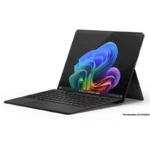
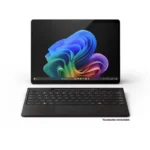
Microsoft Surface Pro 11 Price in Kenya is KSh 189,000. It is the only device in Kenya at this price that functions as a genuine tablet, a full Windows laptop, and a digital drawing canvas, switching between all three modes without carrying separate devices. At 895g it weighs less than most standalone laptops, the 13-inch PixelSense Flow display reaches 267 PPI with an optional OLED panel offering a 1,000,000:1 contrast ratio, and the Copilot+ AI platform with a 45 TOPS NPU makes it one of the most capable on-device AI computers available in Kenya today.
The honest limitations need equal clarity: the keyboard and Surface Slim Pen are sold separately and add meaningful cost to the total investment. ARM-based processor architecture means some legacy Windows software does not run natively. The fanless design can throttle under sustained heavy workloads. And USB-C only connectivity means most existing accessories require adapters.
Our rating — 8.5/10 for versatility and portability. 7/10 for value when accessories are included in total cost.
Right for You?
If you move between desk work, meetings, travel, and creative sessions throughout your day — and you want a single device that handles all of those contexts without compromise — the Surface Pro 11 is designed around exactly that workflow. It is the right device for consultants and professionals who present directly from the screen in tablet mode, students who annotate lectures with a stylus and write assignments with a keyboard, and remote workers who need a capable Windows PC that fits in any bag. If your work requires heavy sustained processing — video rendering, complex 3D, or software compilation — a traditional laptop with active cooling handles sustained workloads more consistently. If the keyboard and pen are essential to your use and you are working to a budget, factor their additional cost before committing to the KSh 138,000 base price.
Microsoft Surface Pro 11 Full Specifications
Launch
Feature
Specification
Status
Available in Kenya
Body
Feature
Specification
Dimensions
287 x 209 x 9.3 mm
Weight
895g
Build
Anodised aluminium
Kickstand
Adjustable up to 165-degree full-friction hinge
Colors
Black, Platinum
Display — OLED Model
Feature
Specification
Type
PixelSense Flow OLED
Size
13 inches
Resolution
2880 x 1920, 267 PPI
Aspect Ratio
3:2
Refresh Rate
Dynamic, up to 120Hz
Contrast Ratio
1,000,000:1
HDR
Dolby Vision IQ
Protection
Corning Gorilla Glass 5
Color
sRGB and Vivid, individually colour-calibrated, adaptive colour
Display — LCD Model
Feature
Specification
Type
PixelSense Flow LCD
Size
13 inches
Resolution
2880 x 1920, 267 PPI
Aspect Ratio
3:2
Refresh Rate
Dynamic, up to 120Hz
Contrast Ratio
1200:1
HDR
Dolby Vision IQ
Protection
Corning Gorilla Glass 5
Platform
Feature
Specification
Operating System
Windows 11 Home
Processor — LCD Model
Snapdragon X Plus, 10-core
Processor — OLED Model
Snapdragon X Elite, 12-core
NPU
Qualcomm Hexagon — 45 TOPS
GPU
Qualcomm Adreno
AI Platform
Copilot+ PC
Memory and Storage
Feature
Specification
RAM Options
16GB / 32GB LPDDR5x
Storage Options
256GB / 512GB / 1TB
Storage Type
Removable Gen 4 SSD
Card Slot
Not built-in
Cameras
Feature
Specification
Front Camera
1440p Quad HD, ultrawide field of view
Front Features
Windows Studio Effects — auto framing, creative filters, eye contact, portrait blur, portrait light
Microsoft Pluton TPM 2.0, Windows 11 Secured-core PC
Stylus and Keyboard
Feature
Specification
Pen Support
Surface Slim Pen 2nd generation — sold separately
Pen Features
Tactile signals, wireless charging via keyboard, MPP support
Keyboard Options
Surface Pro Flex Keyboard, Surface Pro Keyboard, Surface Pro Signature Keyboard — all sold separately
Battery
Feature
Specification
Battery Life — Wi-Fi
Up to 14 hours local video playback, up to 10 hours active web
Battery Life — 5G
Up to 9 hours active web
Fast Charging
Supported — minimum 65W via Surface Connect or USB-C
What Is in the Box
Feature
Specification
Contents
Surface Pro 11, power supply, quick start guide, safety and warranty document
Not Included
Keyboard, Surface Slim Pen — both sold separately
Price in Kenya
Variant
Price
LCD, 16GB RAM, 256GB
KSh 189,000
The Display in Real Life
The 13-inch PixelSense Flow display at 2880 x 1920 and 267 PPI is one of the sharpest screens on any Windows device at this price, and the 3:2 aspect ratio makes a meaningful practical difference to how the Surface Pro 11 works as both a laptop and a tablet. The 3:2 ratio is taller than the 16:9 widescreen proportions on most laptops — it fits more of a document, webpage, or spreadsheet vertically on screen, reducing scroll frequency during productivity work. Holding the Surface Pro 11 in portrait orientation for reading and annotation feels natural because the screen proportions approximate a physical page.
The OLED configuration’s 1,000,000:1 contrast ratio is genuinely transformative for the viewing experience — true blacks make the screen look like a window into content rather than a lit surface displaying it. For professionals who review photos, design visuals, or watch media on the device, the OLED panel’s depth and richness are visible immediately. The LCD configuration’s 1200:1 contrast is solid for productivity but the difference from the OLED is noticeable in direct comparison.
Dynamic 120Hz refresh rate on both configurations keeps touch interaction and stylus input feeling fluid and responsive. The Dolby Vision IQ adaptive colour management adjusts the display’s colour profile based on ambient lighting — maintaining accurate colour representation across different working environments.
What the Cameras Actually Do
The 1440p Quad HD front camera with Windows Studio Effects is one of the strongest video conferencing cameras on any Windows device. Auto framing keeps you centred as you move — similar to Centre Stage on iPads — and the creative filters, portrait blur, and portrait light features give you broadcast-quality video call quality without additional lighting equipment. For professionals who spend significant daily time in Teams, Zoom, or Google Meet calls, the front camera quality makes the Surface Pro 11 a meaningfully better video conferencing device than most laptops.
The Windows Hello face authentication via a dedicated front camera — separate from the video camera — unlocks the device instantly and securely in varied lighting conditions. Eye contact correction subtly adjusts your gaze in video calls to appear as if you are looking directly at the camera rather than at the screen, which improves the quality of video call presence without any conscious effort.
The 10MP rear camera handles document scanning, whiteboard capture, and QR code reading in tablet mode — practical utility functions that become natural when the Surface Pro 11 is used as a tablet in meetings and field work.
How Copilot+ and Snapdragon X Perform
The Qualcomm Hexagon NPU at 45 TOPS is the defining specification of the Copilot+ PC platform — it processes AI workloads on-device without cloud dependency, enabling real-time features that would otherwise require internet connectivity and server processing. Recall — Microsoft’s AI-powered search across everything you have seen on the device — works through the NPU. Live captions, real-time translation, Cocreator image generation in Paint, and AI-enhanced Windows Studio Effects all run locally on the NPU without sending data externally.
The Snapdragon X Elite (12-core, OLED model) and Snapdragon X Plus (10-core, LCD model) deliver strong everyday performance for the workflows that define modern professional and student use — Microsoft 365 applications, web browsing with many tabs, Teams video calls, OneDrive sync, and light creative work in apps optimised for ARM architecture.
The ARM compatibility consideration is real and worth addressing directly. The vast majority of modern software — Microsoft 365, Teams, Chrome, Edge, Slack, Zoom, Spotify, and most productivity and creative apps — runs natively or through fast emulation on ARM Windows without noticeable issues. Legacy enterprise software, some specialist engineering applications, and older 32-bit programs may not run at all or may run with reduced performance through emulation. If your workflow depends on specific software, verify ARM compatibility before purchasing.
The removable SSD is a notable practical feature — the internal storage can be physically replaced by a service technician, unlike most ultraportable Windows devices and all Apple silicon products where storage is soldered to the board. This does not mean straightforward user self-service, but it does mean storage replacement is possible through authorised service rather than rendering a device with a failing drive unrepairable.
Battery Life and Portability
Fourteen hours of local video playback and ten hours of active web use on Wi-Fi represent genuine all-day capability for mixed professional use. The ARM-based Snapdragon processors achieve this endurance at 895g — lighter than almost every traditional clamshell laptop with comparable performance. For professionals who travel between client sites, work from cafés, or carry their laptop through full days without reliable desk access, the combination of endurance and weight is practically significant.
Fast charging via the Surface Connect port or a minimum 65W USB-C adapter reduces downtime meaningfully — a 30-minute charge during lunch recovers several hours of use. The 5G model’s nine hours of active web use over cellular is lower than the Wi-Fi model’s ten hours, which is worth factoring in for users who plan to use cellular data as their primary connection throughout the day.
Surface Pro 11 vs iPad Pro 11 M5 — Windows 2-in-1 vs Apple Tablet at a Similar Price
Feature
Surface Pro 11 (LCD, 16GB)
iPad Pro 11 M5 (256GB Wi-Fi)
Price in Kenya
KSh 189,000
KSh 135,000
Operating System
Windows 11 Home
iPadOS 26
Processor
Snapdragon X Plus / X Elite
Apple M5
Display
13″ PixelSense Flow, 267 ppi
11″ Tandem OLED, 267 ppi
Display Type
LCD (base) / OLED (higher config)
Tandem OLED on all models
RAM
16GB / 32GB
12GB
Storage
256GB–1TB removable SSD
256GB–2TB
Keyboard
Sold separately
Sold separately
Pen
Sold separately
Sold separately
Weight
895g
444g
Battery
Up to 14 hours
Up to 10 hours
5G
Optional
Optional
External Display
DisplayPort 1.4a via USB-C
DisplayPort via USB-C
App Ecosystem
Full Windows desktop software
iPadOS app ecosystem
Our pick: At nearly identical base pricing, these two devices serve fundamentally different buyers. The Surface Pro 11 is the right choice for professionals whose workflow requires Windows software — specific enterprise applications, full Microsoft Office desktop functionality, Windows-only tools, or integration with Windows-based workplace infrastructure. It also offers a larger 13-inch screen in a lighter 2-in-1 form factor. The iPad Pro 11 M5 is the right choice for buyers in the Apple ecosystem, those whose creative workflows run on iPadOS apps like Procreate and Logic Pro for iPad, and anyone who wants Tandem OLED display quality on all configurations rather than only on premium tiers. The iPad Pro 11 M5’s display is better on the base model. The Surface Pro 11 offers full Windows capability and a larger screen. The keyboard and pen are sold separately on both — factor that cost into your total budget comparison.
Buy It If / Skip It If
Buy it if
Skip it if
Full Windows software compatibility is essential to your workflow
Your required software has ARM compatibility limitations
The 2-in-1 tablet-laptop flexibility suits how you work
You need a keyboard and pen included — budget for them separately
A larger 13-inch screen in a light form factor matters
You want a fanless device for heavy sustained workloads
Copilot+ AI features including Recall are relevant to your productivity
USB-C only ports require adapters for your existing accessories
5G cellular connectivity on a Windows device is a priority
You are in the Apple ecosystem — iPad Pro 11 M5 is more natural
Questions Kenyans Are Asking About the Microsoft Surface Pro 11
What is the Microsoft Surface Pro 11 price in Kenya? The Microsoft Surface Pro 11 starts at KSh 138,000 for the LCD, 16GB RAM, 256GB SSD configuration at Fast Gadgets Kenya. OLED and higher storage configurations are available at higher pricing — confirm exact figures with Fast Gadgets Kenya directly.
Je, Surface Pro 11 inaweza kufanya kazi kama laptop Kenya? Ndiyo, lakini kibodi inauzwa tofauti. Ukinunua Surface Pro Flex Keyboard au Surface Pro Keyboard kando, unaweza kuitumia kama laptop kamili na Windows 11. Bila kibodi, inafanya kazi kama tablet tu.
Does the Surface Pro 11 keyboard come in the box? No. The keyboard is sold separately. The box contains only the Surface Pro 11, a power supply, and documentation. Budget for the Surface Pro Flex Keyboard or Surface Pro Keyboard as an additional purchase if you need laptop-mode functionality.
What is the difference between the LCD and OLED Surface Pro 11? The LCD model uses a Snapdragon X Plus 10-core processor and has a 1200:1 contrast ratio display. The OLED model uses a Snapdragon X Elite 12-core processor and has a 1,000,000:1 contrast ratio display with deeper blacks and more vibrant colours. The OLED model is the higher-configuration option at a higher price.
Does the Surface Pro 11 support 5G in Kenya? The 5G variant supports Safaricom’s 5G network across compatible bands. The base Wi-Fi only model does not include cellular connectivity. Confirm 5G variant pricing with Fast Gadgets Kenya.
Bei ya Surface Pro 11 Kenya ni ngapi? Bei ya Surface Pro 11 Kenya inaanzia KSh 138,000 kwa variant ya LCD na 16GB RAM kutoka Fast Gadgets Kenya. Variants za OLED na storage zaidi zinapatikana kwa bei tofauti — thibitisha moja kwa moja na Fast Gadgets Kenya.
Is the Surface Pro 11 good for students in Kenya? Yes — particularly for students whose coursework requires Windows software, who annotate lecture notes with a stylus, and who want a device that works as both a tablet and a laptop. The keyboard and pen should be budgeted separately as additional purchases. For students who work primarily in web browsers and standard productivity apps, the total cost including accessories is a significant consideration.
Where can I buy the Microsoft Surface Pro 11 in Kenya? You can buy the Microsoft Surface Pro 11 from Fast Gadgets Kenya, with M-Pesa payment accepted and countrywide delivery available across Kenya.
Additional information
Memory & Storage
16GB/1TB
Keyboard and Pen
available
Reviews (0)
Reviews
There are no reviews yet.
Be the first to review “Microsoft Surface Pro 11” Cancel reply
Shipping and Delivery
MAECENAS IACULIS
Vestibulum curae torquent diam diam commodo parturient penatibus nunc dui adipiscing convallis bulum parturient suspendisse parturient a.Parturient in parturient scelerisque nibh lectus quam a natoque adipiscing a vestibulum hendrerit et pharetra fames nunc natoque dui.
ADIPISCING CONVALLIS BULUM
Vestibulum penatibus nunc dui adipiscing convallis bulum parturient suspendisse.
Abitur parturient praesent lectus quam a natoque adipiscing a vestibulum hendre.
Scelerisque adipiscing bibendum sem vestibulum et in a a a purus lectus faucibus lobortis tincidunt purus lectus nisl class eros.Condimentum a et ullamcorper dictumst mus et tristique elementum nam inceptos hac parturient scelerisque vestibulum amet elit ut volutpat.


 Henectus tincidunt
KSh429.00
Henectus tincidunt
KSh429.00
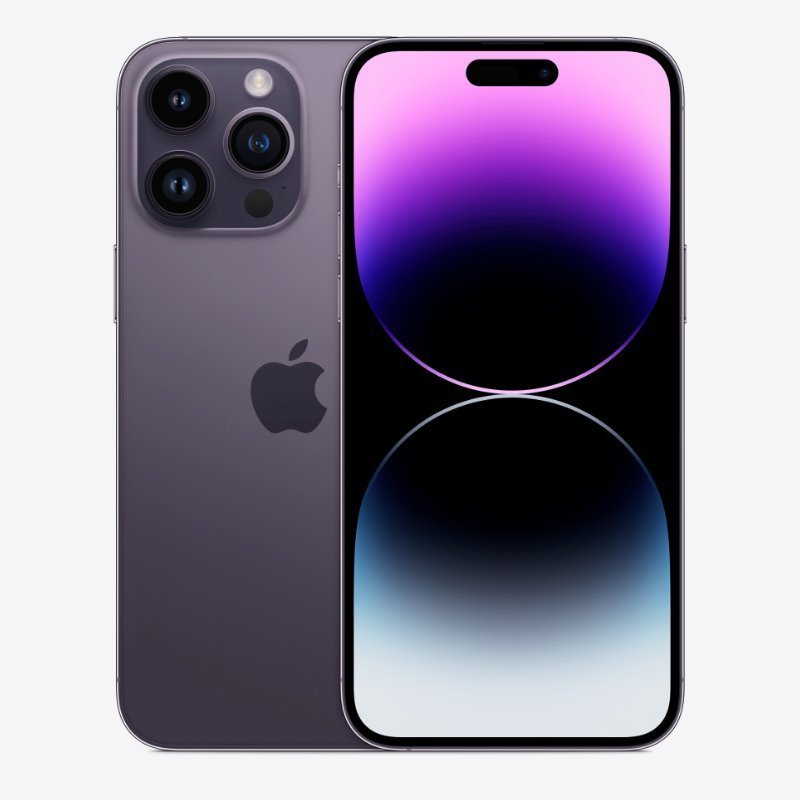 iPhone 14 Pro Max (REFURBISHED)
KSh93,500.00 – KSh216,000.00Price range: KSh93,500.00 through KSh216,000.00
iPhone 14 Pro Max (REFURBISHED)
KSh93,500.00 – KSh216,000.00Price range: KSh93,500.00 through KSh216,000.00
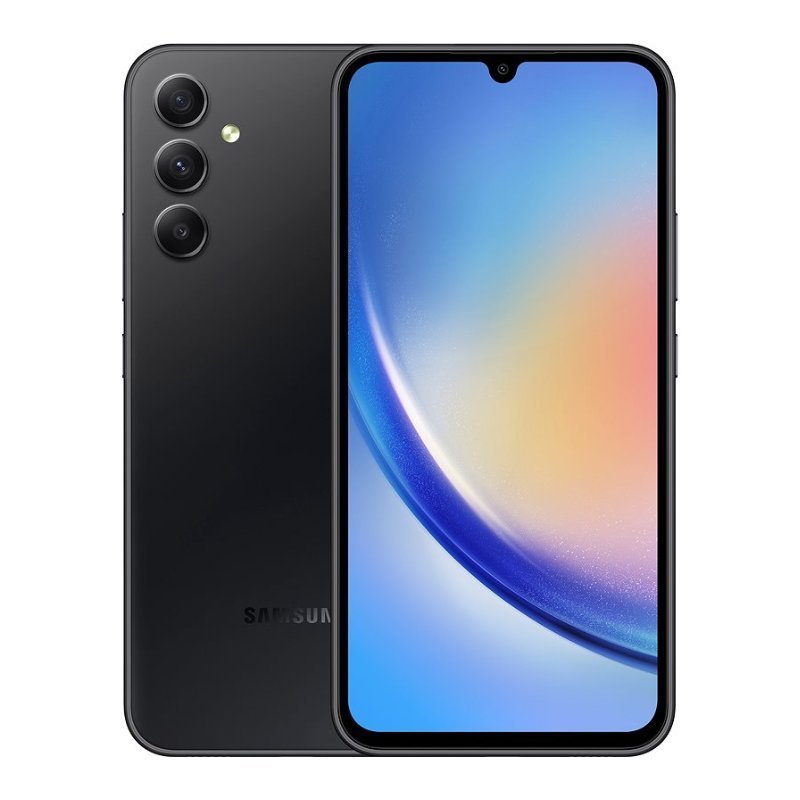 Samsung Galaxy A34 5G, 128GB ROM, 8GB RAM
KSh39,000.00
Samsung Galaxy A34 5G, 128GB ROM, 8GB RAM
KSh39,000.00
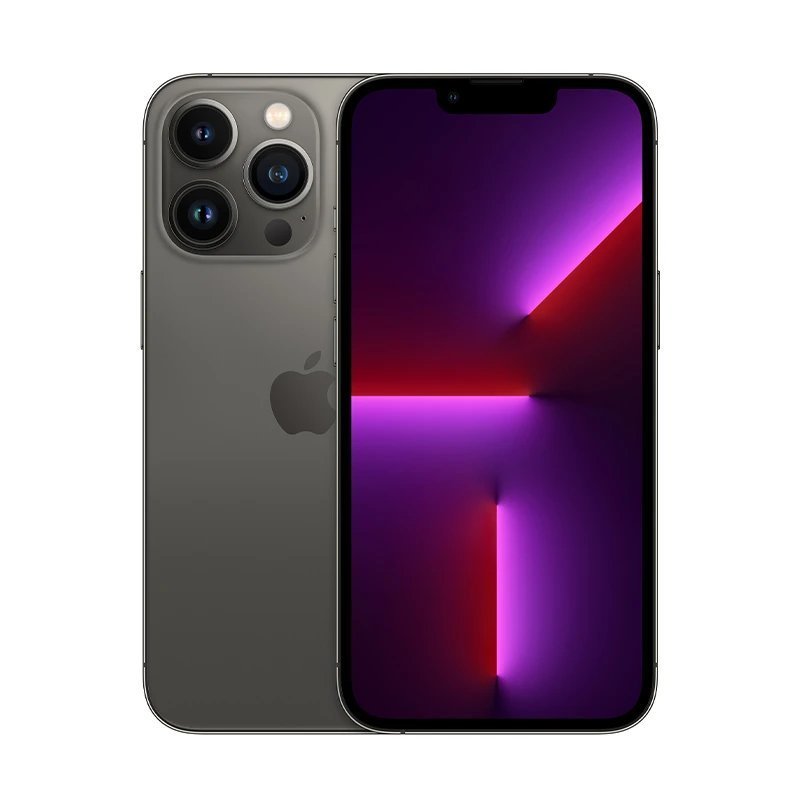 APPLE IPHONE 13 PRO (REFURBISHED).








Reviews
There are no reviews yet.